Feature Spotlight: January 2026
This month, we focused on speed, communication, and visibility. January’s releases make it easier than ever to list events, keep conversations centralized, and give vendors stronger brand exposure through interactive maps. The result: less friction for organizers, better engagement with vendors and attendees, and a more polished experience across the board.
Updated Create/Edit Event Flow
Creating an event on Treasure should feel simple. As we’ve expanded functionality over time, we recognized that the initial event setup flow was asking for more information upfront than many organizers actually needed.
January’s update revamps the Create/Edit Event experience to prioritize speed. You can now launch an event listing with significantly less required information, getting your event live faster than ever before.
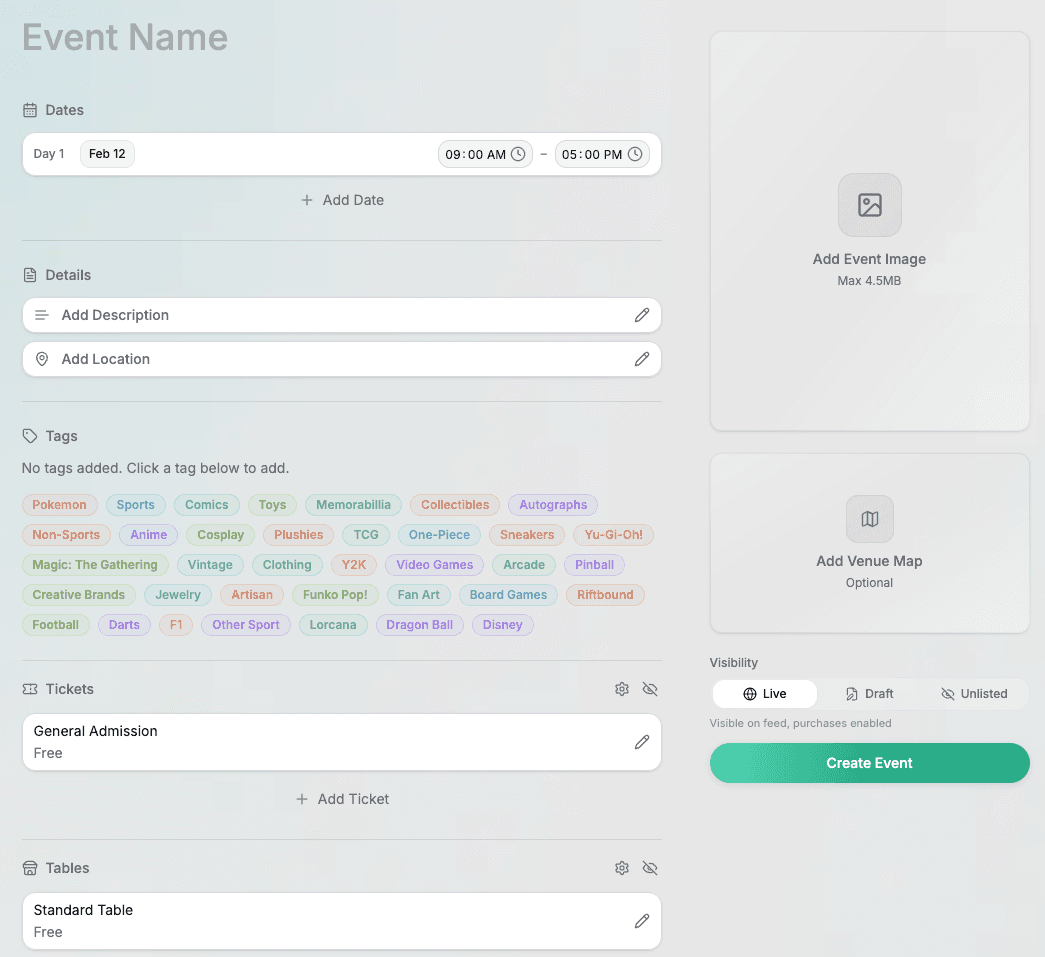
Importantly, we didn’t remove functionality, we reorganized it. Organizers who want to leverage advanced features still have full access to them. The difference is that you’re no longer forced to configure everything on day one.
This update optimizes for:
- Faster time to listing
- Reduced setup friction
- Cleaner editing workflows
- Greater flexibility as your event evolves
Whether you're running a 10 or 1000 table show, getting started is now streamlined without sacrificing power. Try out the new flow today here!
In-App Messaging System + Improved Message Blasts
Communication is central to every successful event. Until now, most conversations that began on Treasure eventually moved to email threads outside the platform. That created fragmentation, lost context, and unnecessary back-and-forth.
With our new In-App Messaging System, hosts can now communicate directly with vendors and customers inside Treasure. Conversations are stored on-platform, organized, and accessible from the Inbox page of your event dashboard. No more searching inboxes or forwarding threads.
We also upgraded Message Blasts to make outreach more targeted and professional.
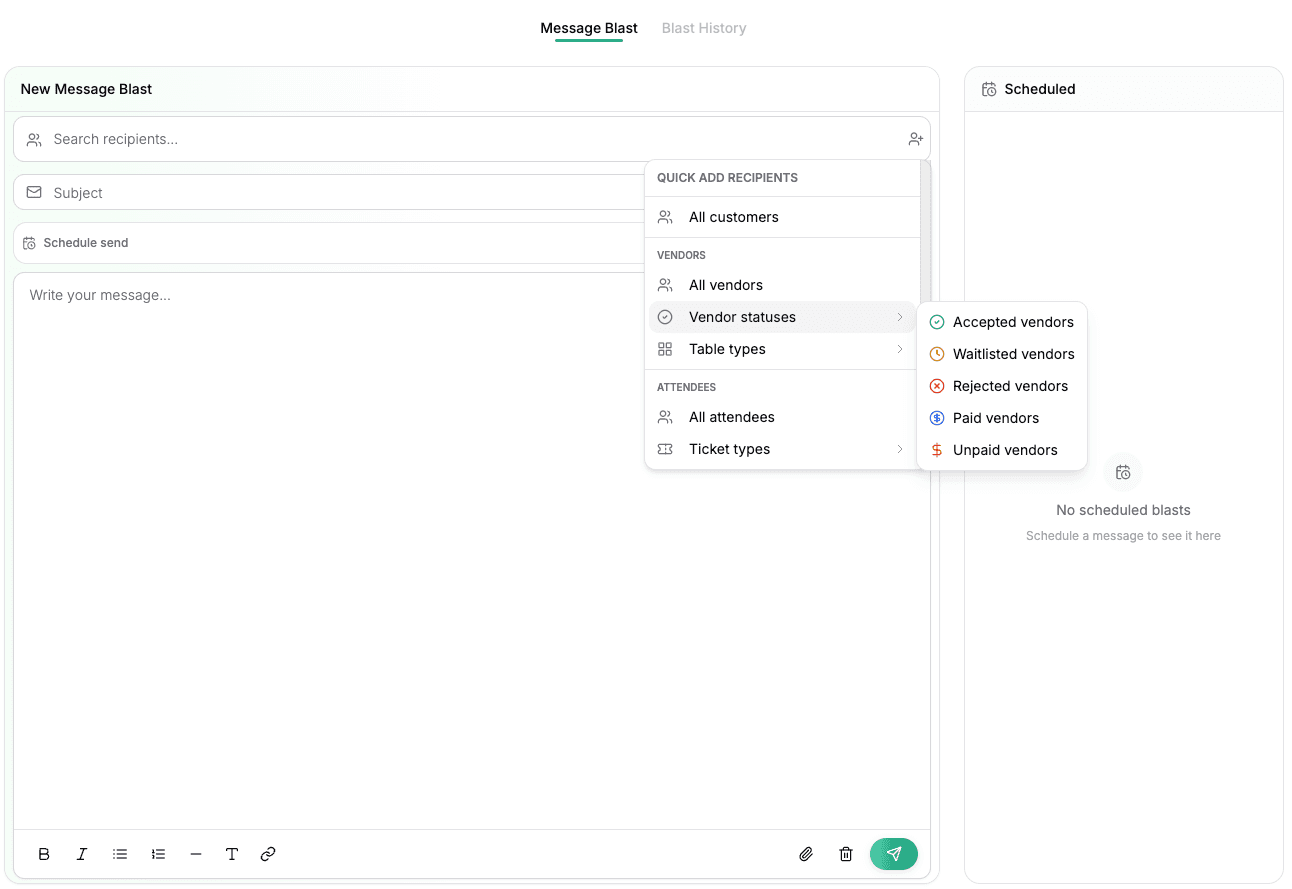
New capabilities include:
- Advanced filtering by vendor cohorts
- Richer email body formatting
- Ability to schedule send blasts
- Increased ability to brand and personalize outbound communication
This allows organizers to:
- Send category-specific updates and reminders about events
- Communicate differently with different groups of customers
- Deliver more polished, branded announcements
- Keep all messaging centralized
Together, these updates transform Treasure from a registration tool into a true communication hub for your events. Check them out today on any of your event dashboards.
Visual Venue Map Updates
Interactive venue maps have always been one of Treasure’s most powerful features. Vendors use them as marketing tools. Attendees use them to plan their visit. Organizers use them to showcase their lineup.
Now, interactive maps are even more dynamic.

Vendor logos are displayed directly on table assignments within the map interface. This simple change creates a major impact:
- Vendors receive natural brand visibility directly on the floor plan
- Maps feel more vibrant and engaging
- Vendor participation increases as logo uploads become more valuable
Previously, vendors were already benefiting from searchable listings and inventory tagging. With logos embedded directly on their assigned tables, their presence becomes even more visually prominent.
For organizers, this means:
- A more visually compelling map
- Stronger vendor marketing incentives
- Higher-quality vendor profiles
- A more professional presentation of your event
It’s a small UI shift that elevates the entire experience.
Ready to move faster, communicate better, and give your vendors more exposure? Log in to your host dashboard to explore January’s updates.