Vendor management
A full floor.
A clear picture.
Great shows start with great vendors. Keep applications, tables, and payments together, from the first sign-up to show day.
Create your event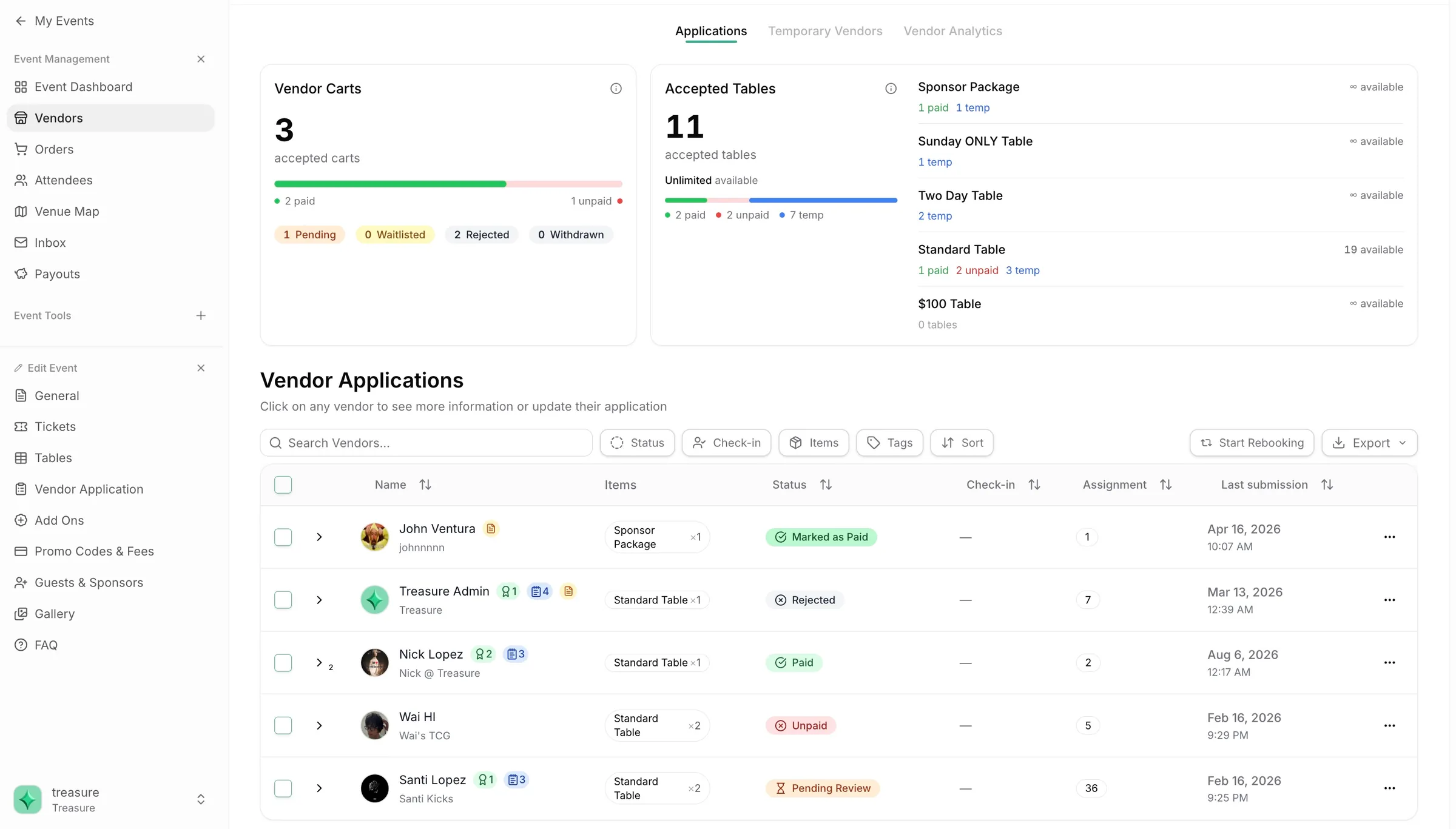
One clear overview.
Review Approve Track payments Assign tables
Know where
every vendor stands.
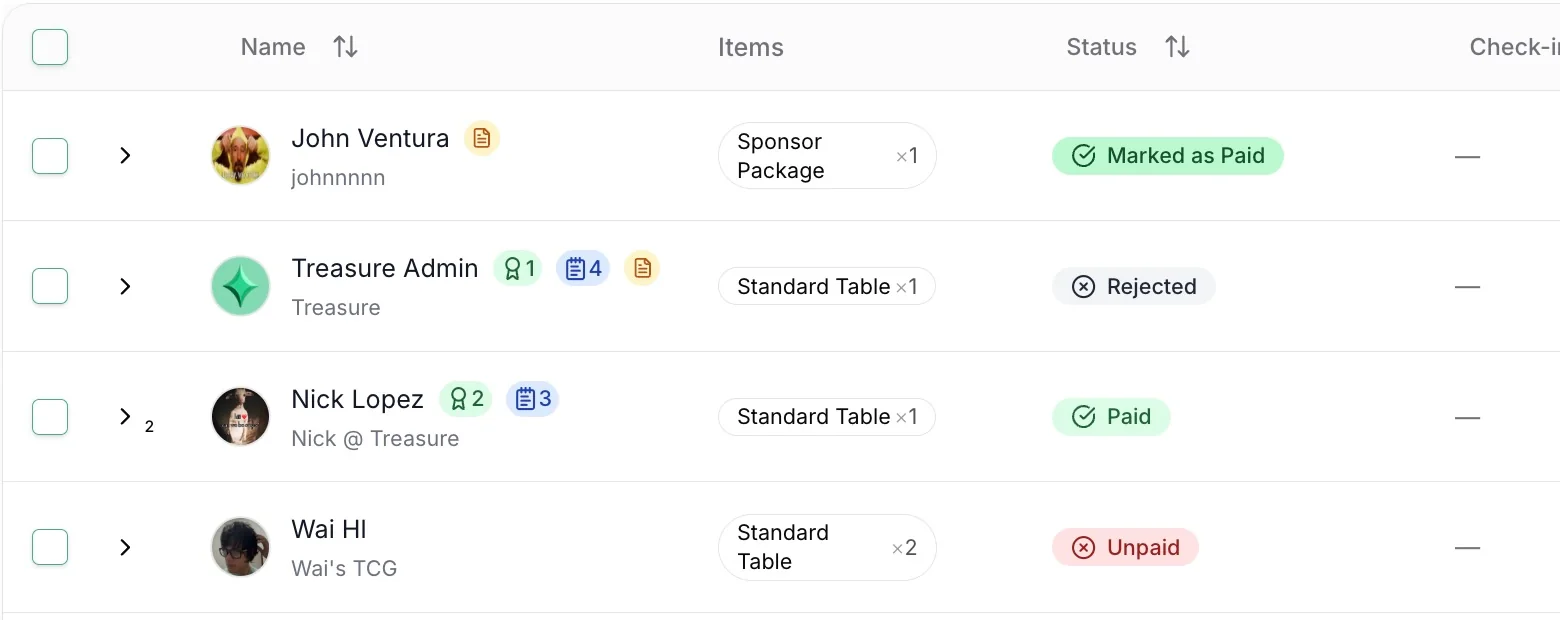
Pending, accepted, paid, or still to follow up. Review applications and table availability in one place, with the details you need to keep things moving.
- Review vendor profiles and application details
- Filter by status, items, tags, and check-in
- See payment status alongside table assignments
Payment status, accounted for
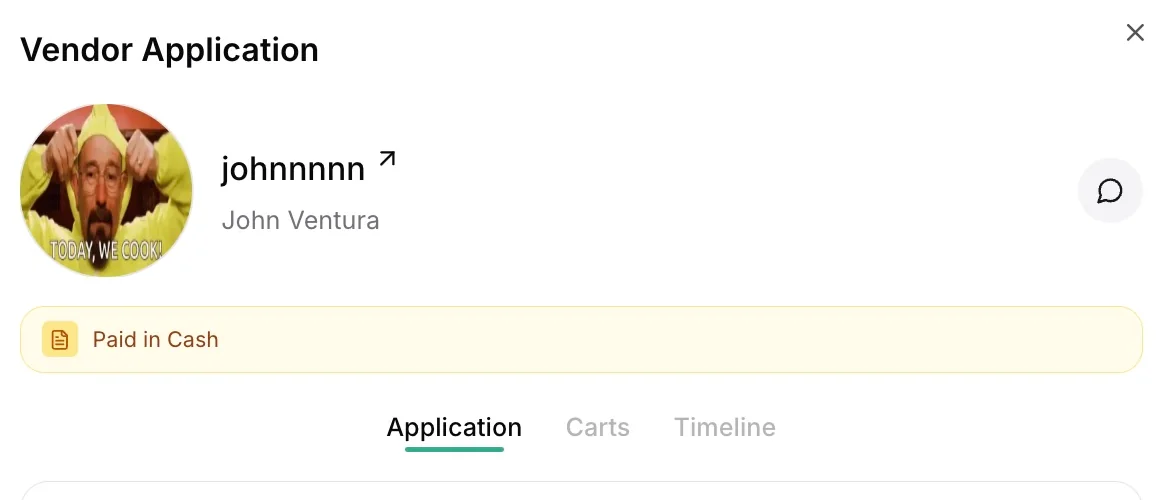
Paid in person.
Still in the picture.
Keep your existing vendor relationships. Record cash and other offline payments so your dashboard reflects what’s actually been paid.
Working with someone who registers another way? Add a temporary vendor and keep their place in your event.
A table is just
the starting point.
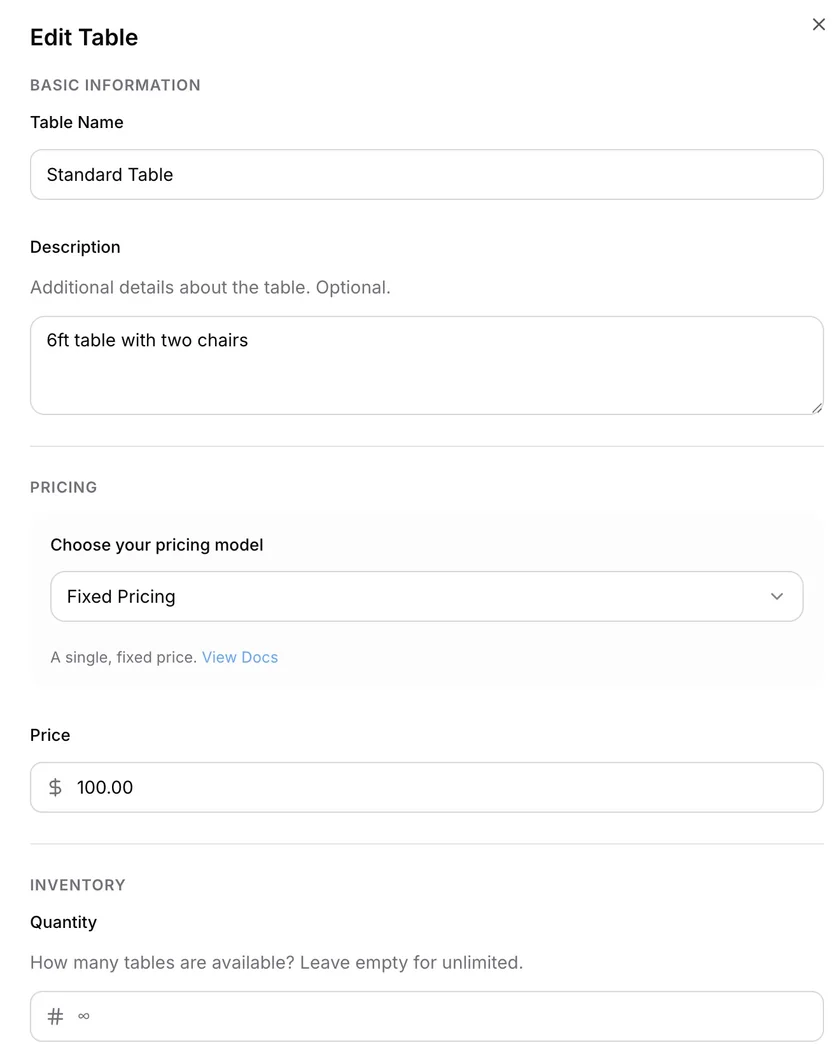
Build table options for your event and offer the extras vendors need. Clear pricing and add-ons make it easier to arrive prepared.
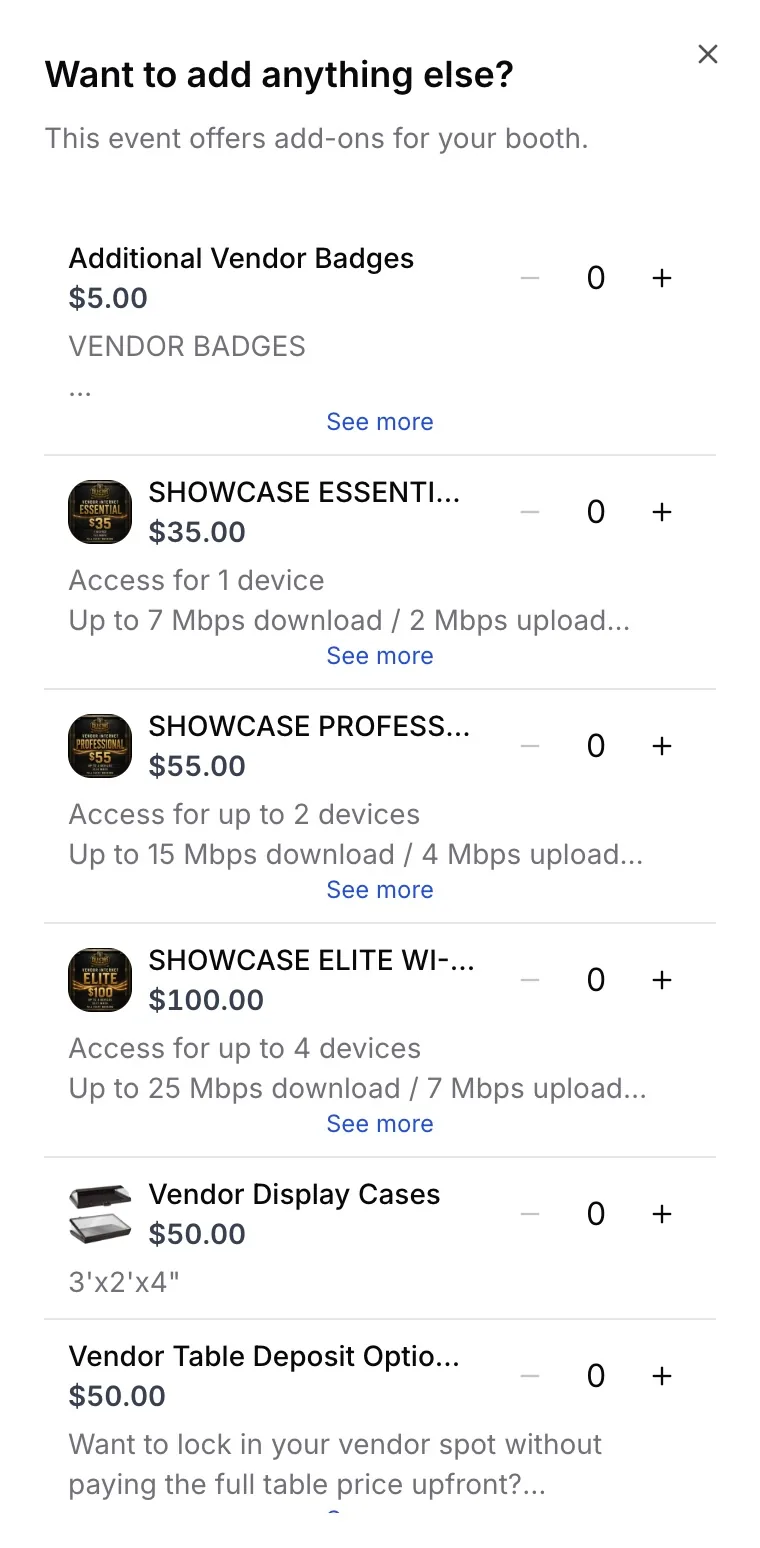
Bring your
vendor list to life.
Connect your vendors to the floor. Assign their tables, then give attendees a map they can use to discover who’s there and where to find them.
Explore venue mapping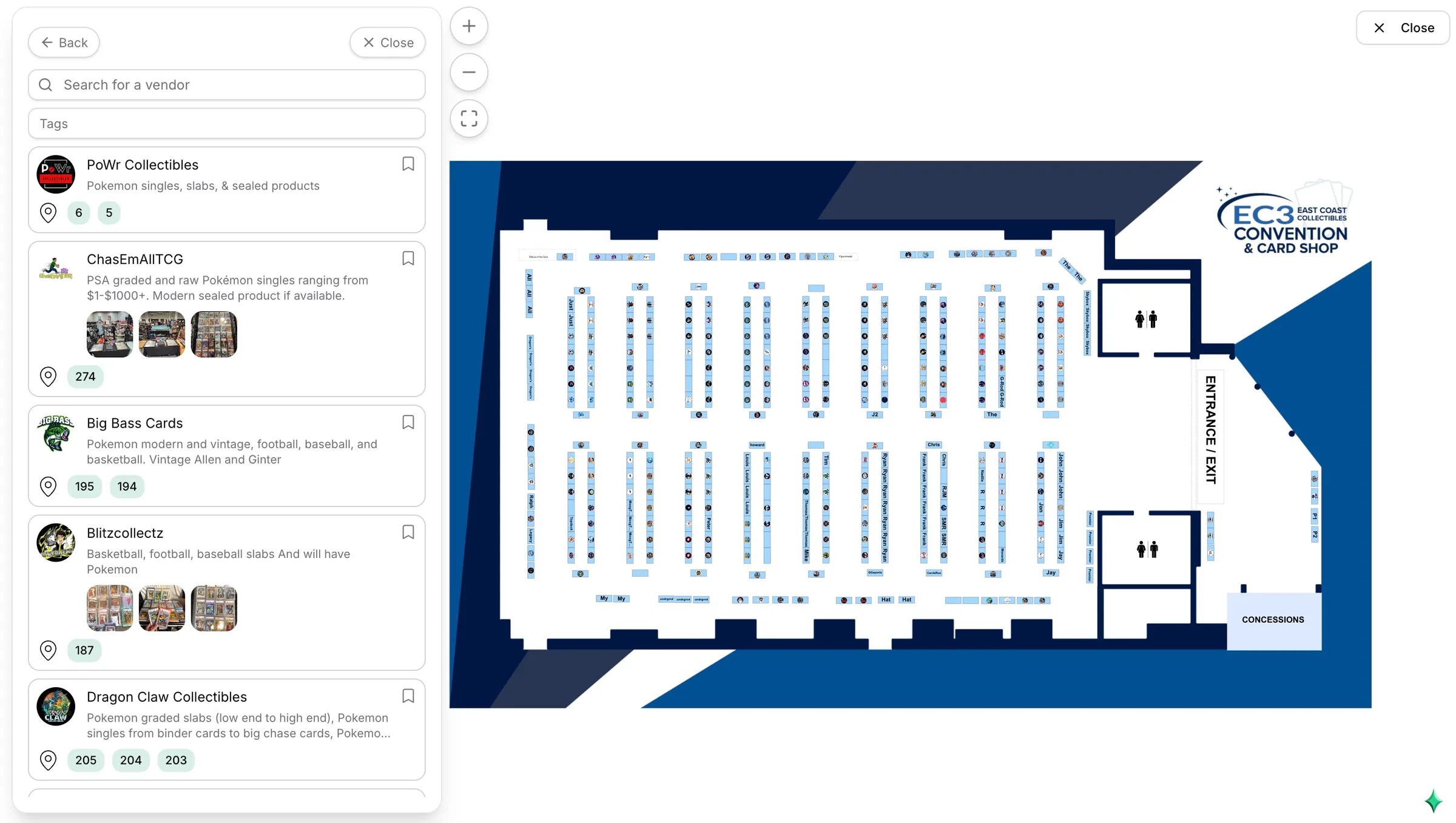
Make room for a better vendor experience.
One place to organize the people who make your show.